
What’s already done for you
- The Computer Use tool is installed and granted to all users.
- The Computer Use filter is active and global, so every chat gets the Computer Use system prompt, file-link rewriting, and archive button.
- Open WebUI is built from the patched
openwebui/Dockerfile(see Open WebUI integration) so artifacts auto-render, previews auto-insert, and large tool results stream through instead of truncating. - Every model gets
function_calling: nativeandstream_response: trueby default — the two switches without which Computer Use tools silently don’t fire.
Picking a model
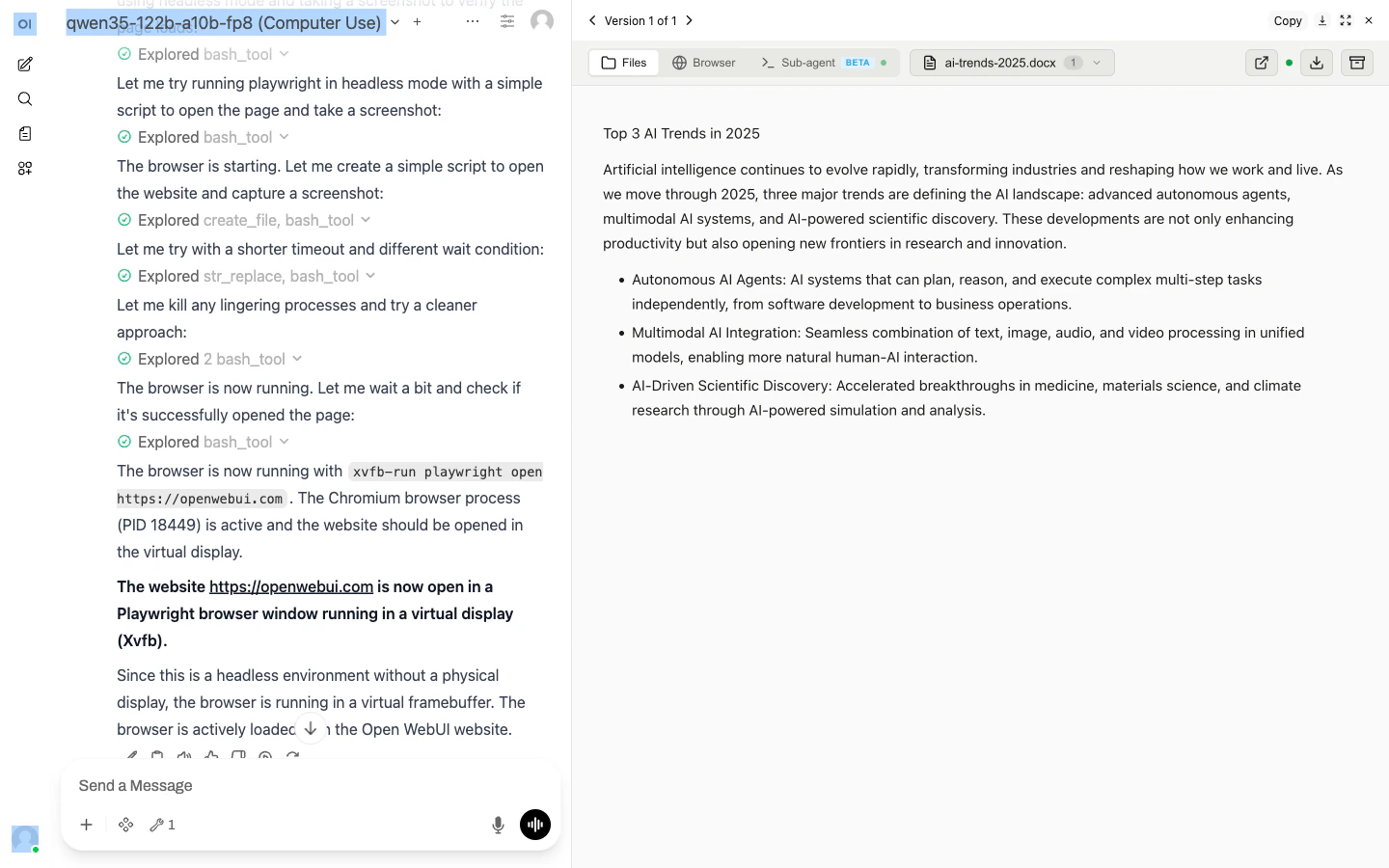
The model picker is at the top of every chat — models are pre-configured and ready to use; you don’t need to add anything in Workspace. If you’d like a model that isn’t listed, open an issue or ping us on Telegram.Example prompts
Tasks that showcase different skills:- Documents. “Create a pitch deck for a fintech seed round, 10 slides, with speaker notes.”
- Spreadsheets. “Open
sales.xlsx, pivot by region and month, and chart the totals.” - Web scraping. “Go to Hacker News, grab the top 10 stories, and save them as a Markdown table.”
- Landing pages. “Build a one-pager for a coffee shop called Bean Scene. Dark theme. Show me the preview.”
- Sub-agent delegation. “Clone
https://github.com/org/repo, run the tests, fix any failures, and show me the diff.”
Files and previews
When the model writes a file, a link appears in chat. Click it to download; an iframe preview appears right below the link for supported file types (HTML, PDF, PNG, JPG, …). Files are served fromcu.yambr.com/files/{chat_id}/... and scoped to your session.
Upload your own files by dragging them into the chat input. They’re mounted read/write into /home/assistant/uploads/{chat_id}/ inside the sandbox.
Session isolation
Each Open WebUI chat has its own chat ID. Different chats = different sandbox containers = no state leak. Messages inside the same chat keep the same sandbox, so the model can reference files from earlier turns.Terminal tab
Open WebUI exposes a Terminal tab per chat. It runsttyd + tmux inside the sandbox, so you can attach to whatever the sub-agent is doing, take over a Claude Code session, or just poke around. See Terminal.
When to self-host instead
Air-gapped workloads
Can’t send data to the Yambr cloud? Self-host.
Custom skills
You want the Settings Wrapper to store your own skills and PATs.
Custom models
You want to route to on-prem / bring-your-own model endpoints.
Everything else
Managed Yambr is the recommended path for most users.