
What is Open Computer Use?
An MCP server that gives any LLM a fully-equipped Ubuntu sandbox in its own Docker container. Think of it as your AI’s computer — it can do everything a developer can do:- Execute code — bash, Python, Node.js, Java, Bun
- Create documents — Word, Excel, PowerPoint, PDF with professional styling via skills
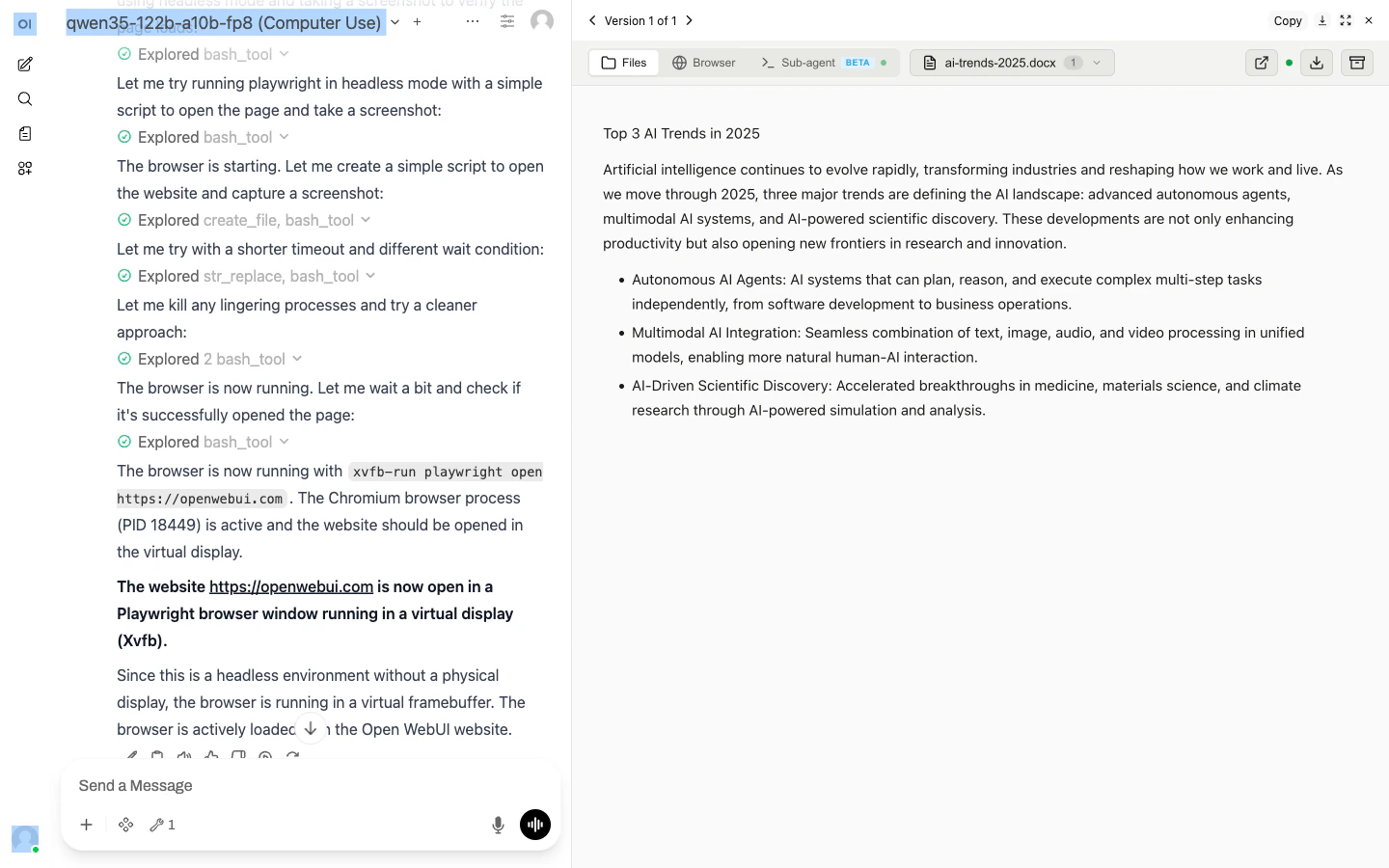
- Browse the web — Playwright + live CDP browser streaming (you see what the AI sees, in real time)
- Run Claude Code — autonomous sub-agent with an interactive terminal; MCP servers auto-configured
- Use 13+ skills — battle-tested workflows for document creation, web testing, design, and more
Two ways to use it
Managed on Yambr
Open chat.yambr.com to try it in the browser, or get a key at app.yambr.com and plug Yambr into your agent stack as an MCP tool server at
https://api.yambr.com/mcp/computer_use. Bring your own model provider. No servers to run.Self-hosted
Clone the repo,
docker compose up. BSL 1.1 / Apache 2.0 / MIT. Tested in production with 1,000+ MAU.Try it in 60 seconds
1
Open chat.yambr.com
Sign in to chat.yambr.com — a hosted Open WebUI with Computer Use already wired up.
2
Ask for something real
“Create a professional cover letter in .docx for a Senior Software Engineer applying to a startup.”The model picks the right skill, writes the file inside its sandbox, and a preview appears inline. Download, share, iterate.
3
Grab an API key (optional)
Want to drive it from code? Get a key at app.yambr.com and register
https://api.yambr.com/mcp/computer_use as an MCP tool server in Claude Desktop, the OpenAI Agents SDK, Cursor, n8n, or any MCP-capable client. LLM calls stay on your provider. See LiteLLM gateway.Learn more
Yambr Platform
The four services —
api, app, chat, cu — and how they fit together.Architecture
What’s inside the sandbox, how chats get isolated, how MCP is wired.
Skills reference
13 built-in skills (docx, xlsx, pptx, pdf, playwright, sub-agent, …) plus 14 examples.
Integrations
Open WebUI, Claude Desktop, LiteLLM, n8n, or any MCP-over-HTTP client.