> ## Documentation Index
> Fetch the complete documentation index at: https://docs.yambr.com/llms.txt
> Use this file to discover all available pages before exploring further.
# Dashboard tour
> What every screen of app.yambr.com does and how to find what you need.
[app.yambr.com](https://app.yambr.com/) is the Yambr control panel. It handles three things: sign-in, API key lifecycle, and admin approval. No model management, no billing portal (yet) — the surface is deliberately small.
## Sign in
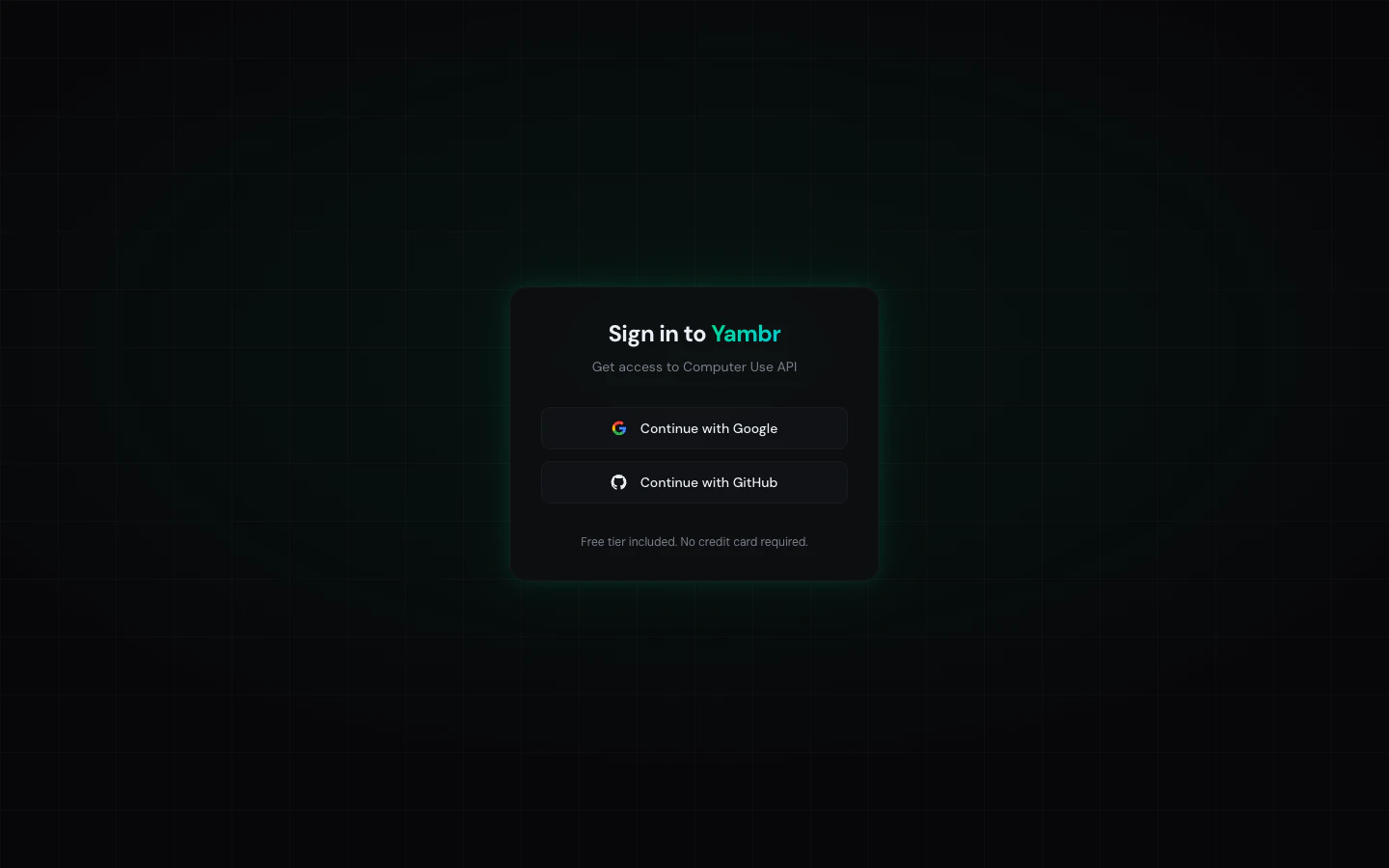 Two providers:
* **GitHub**
* **Google**
There is no email + password flow. Auth is handled by Supabase OAuth — the session cookie is set after the OAuth callback, and you land on the dashboard.
If you need SSO (Okta, Azure AD, generic SAML), ping us on [Telegram](https://t.me/yambrcom) — it's a short conversation.
## Approval queue
New accounts sit in a queue until an admin approves them. Most requests clear quickly — on Telegram you can ask for a nudge.
When an admin approves your account they set your budget (default **\$10 / 30 days**, rolling). After that your first key is issued and you land on a populated dashboard.
## Dashboard
Main screen. Three sections:
1. **Header** — your signed-in email, a **Sign out** button, and a link to the admin panel if you're an admin.
2. **API keys** — list of your active keys (up to 5), with per-key budget, live spend, and per-key actions. See below.
3. **Integration snippets** — tabs with copy-paste configs for Claude Desktop, OpenAI SDK, n8n / Make, and Cursor. These are the authoritative snippets — if a tool expects a slightly different shape, the dashboard always wins.
### API keys section
Per-key row shows:
* **Alias** — `sk-...{last-4}`. Full value is shown **only once** on creation; copy it immediately.
* **Budget** — `max_budget` with a progress bar: `$spent / $total`, rolling 30-day window.
* **Parallelism** — `max_parallel_requests: 5` by default.
* **Created date**.
* **Actions** — `Create`, `Revoke`, `Reissue`.
Limits:
* **5 active keys per user.** Revoke one to free a slot.
* **Reissue** keeps the alias slot and budget; the old value becomes invalid the moment the new one appears.
### Integration tabs
Four tabs, each with a copy-paste snippet:
* **Claude Desktop** — MCP server entry with URL, Bearer token, and headers.
* **OpenAI SDK** — Python example showing your model provider + Yambr as an MCP tool server.
* **n8n / Make** — URL + key + header fields to paste into the MCP Tool node.
* **Cursor** — MCP server entry for `settings.json`.
Use these as the source of truth for the exact shape your toolchain expects. They're kept in sync with the backend.
## Admin panel
Visible only if your email matches the configured `ADMIN_EMAIL`. Handles user approvals.
### Pending requests table
Columns: email, name, company, status, spend / budget, active keys, sign-up date.
Filter chips: `all`, `pending`, `approved`, `rejected`.
### Approve
Opens a dialog:
* Set the monthly budget (default **\$10**).
* Click **Approve** → generates a key for the user and flips status to `approved`.
### Reject
Marks the request `rejected`. The user is notified via the app.
### Stats summary
Aggregated user counts and key counts at the top of the admin view.
## Settings
Not a dedicated page yet. Things you'd expect to find here:
* **Password** — N/A; auth is OAuth.
* **Rotate key** — use **Reissue** on the keys row.
* **Change email** — change your GitHub / Google email and sign in again.
If you need something that isn't in the UI, [open an issue](https://github.com/Yambr/open-computer-use/issues) or ping [Telegram](https://t.me/yambrcom).
## Related
* [API keys](/platform/api-keys) — deep-dive on key lifecycle
* [Access model](/platform/access-model) — what the key unlocks, what it doesn't
Two providers:
* **GitHub**
* **Google**
There is no email + password flow. Auth is handled by Supabase OAuth — the session cookie is set after the OAuth callback, and you land on the dashboard.
If you need SSO (Okta, Azure AD, generic SAML), ping us on [Telegram](https://t.me/yambrcom) — it's a short conversation.
## Approval queue
New accounts sit in a queue until an admin approves them. Most requests clear quickly — on Telegram you can ask for a nudge.
When an admin approves your account they set your budget (default **\$10 / 30 days**, rolling). After that your first key is issued and you land on a populated dashboard.
## Dashboard
Main screen. Three sections:
1. **Header** — your signed-in email, a **Sign out** button, and a link to the admin panel if you're an admin.
2. **API keys** — list of your active keys (up to 5), with per-key budget, live spend, and per-key actions. See below.
3. **Integration snippets** — tabs with copy-paste configs for Claude Desktop, OpenAI SDK, n8n / Make, and Cursor. These are the authoritative snippets — if a tool expects a slightly different shape, the dashboard always wins.
### API keys section
Per-key row shows:
* **Alias** — `sk-...{last-4}`. Full value is shown **only once** on creation; copy it immediately.
* **Budget** — `max_budget` with a progress bar: `$spent / $total`, rolling 30-day window.
* **Parallelism** — `max_parallel_requests: 5` by default.
* **Created date**.
* **Actions** — `Create`, `Revoke`, `Reissue`.
Limits:
* **5 active keys per user.** Revoke one to free a slot.
* **Reissue** keeps the alias slot and budget; the old value becomes invalid the moment the new one appears.
### Integration tabs
Four tabs, each with a copy-paste snippet:
* **Claude Desktop** — MCP server entry with URL, Bearer token, and headers.
* **OpenAI SDK** — Python example showing your model provider + Yambr as an MCP tool server.
* **n8n / Make** — URL + key + header fields to paste into the MCP Tool node.
* **Cursor** — MCP server entry for `settings.json`.
Use these as the source of truth for the exact shape your toolchain expects. They're kept in sync with the backend.
## Admin panel
Visible only if your email matches the configured `ADMIN_EMAIL`. Handles user approvals.
### Pending requests table
Columns: email, name, company, status, spend / budget, active keys, sign-up date.
Filter chips: `all`, `pending`, `approved`, `rejected`.
### Approve
Opens a dialog:
* Set the monthly budget (default **\$10**).
* Click **Approve** → generates a key for the user and flips status to `approved`.
### Reject
Marks the request `rejected`. The user is notified via the app.
### Stats summary
Aggregated user counts and key counts at the top of the admin view.
## Settings
Not a dedicated page yet. Things you'd expect to find here:
* **Password** — N/A; auth is OAuth.
* **Rotate key** — use **Reissue** on the keys row.
* **Change email** — change your GitHub / Google email and sign in again.
If you need something that isn't in the UI, [open an issue](https://github.com/Yambr/open-computer-use/issues) or ping [Telegram](https://t.me/yambrcom).
## Related
* [API keys](/platform/api-keys) — deep-dive on key lifecycle
* [Access model](/platform/access-model) — what the key unlocks, what it doesn't