> ## Documentation Index
> Fetch the complete documentation index at: https://docs.yambr.com/llms.txt
> Use this file to discover all available pages before exploring further.
# File preview
> Server-side rendering of docx, xlsx, pdf, pptx, images, and code — inline in the chat.
 ## What the user sees
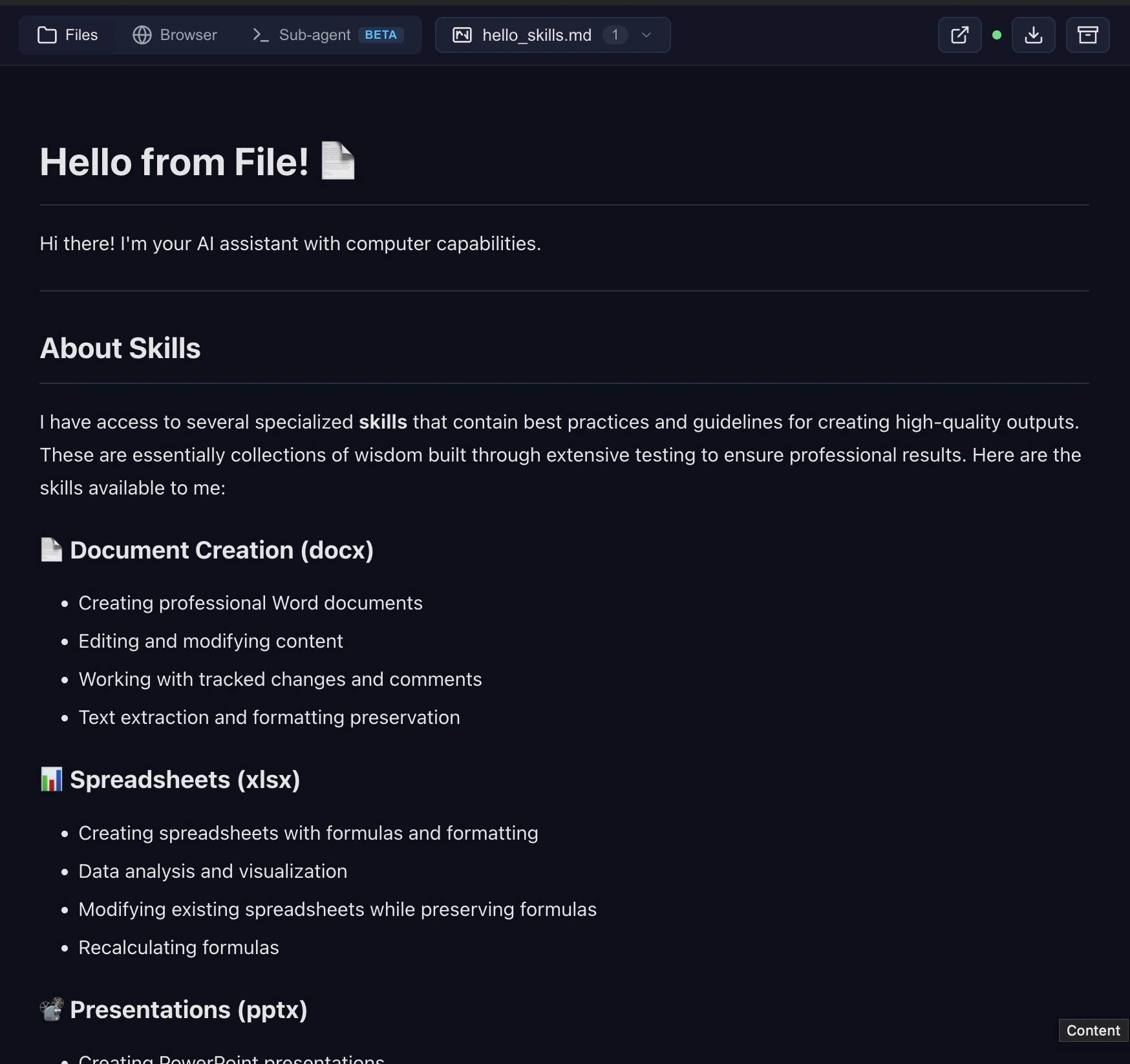
When the model creates a file, a link appears in the chat. For any renderable file type, a preview iframe auto-inserts right after the link:
| Type | How it renders |
| ------------------------ | ---------------------- |
| `.docx` | Mammoth → HTML |
| `.xlsx` | Multi-sheet table view |
| `.pdf` | Page-by-page canvas |
| `.pptx` | Slide navigation |
| `.md` / `.mdx` | Markdown preview |
| `.html` | Inline iframe |
| `.png` / `.jpg` / `.svg` | Direct |
| Source code | Syntax-highlighted |
All rendering happens server-side. The browser only loads an iframe — no client-side PDF.js, no heavy dependency trees.
## URL shape
Files live under `/files/{chat_id}/{relative/path}` on the Computer Use Server:
* Managed: `https://cu.yambr.com/files/{chat_id}/...`
* Self-hosted: `http://localhost:8081/files/{chat_id}/...`
Previews are served from `/preview/{chat_id}/{path}` (same host). See [cu.yambr.com](/platform/cu-endpoint) for security implications.
## How the iframe auto-inserts
The Open WebUI filter's `outlet()` finds links of the form `{PUBLIC_BASE_URL}/(files|preview)/...` in assistant messages. On the patched Open WebUI image, the `fix_preview_url_detection` frontend patch sees those links and promotes them to a synthetic `
## What the user sees
When the model creates a file, a link appears in the chat. For any renderable file type, a preview iframe auto-inserts right after the link:
| Type | How it renders |
| ------------------------ | ---------------------- |
| `.docx` | Mammoth → HTML |
| `.xlsx` | Multi-sheet table view |
| `.pdf` | Page-by-page canvas |
| `.pptx` | Slide navigation |
| `.md` / `.mdx` | Markdown preview |
| `.html` | Inline iframe |
| `.png` / `.jpg` / `.svg` | Direct |
| Source code | Syntax-highlighted |
All rendering happens server-side. The browser only loads an iframe — no client-side PDF.js, no heavy dependency trees.
## URL shape
Files live under `/files/{chat_id}/{relative/path}` on the Computer Use Server:
* Managed: `https://cu.yambr.com/files/{chat_id}/...`
* Self-hosted: `http://localhost:8081/files/{chat_id}/...`
Previews are served from `/preview/{chat_id}/{path}` (same host). See [cu.yambr.com](/platform/cu-endpoint) for security implications.
## How the iframe auto-inserts
The Open WebUI filter's `outlet()` finds links of the form `{PUBLIC_BASE_URL}/(files|preview)/...` in assistant messages. On the patched Open WebUI image, the `fix_preview_url_detection` frontend patch sees those links and promotes them to a synthetic `